Automation & Embedded Systems
Development of ESP32-based control systems, firmware, sensors, actuators, and device integration.
RUBELL AUTOMATION
Rubell Automation develops educational robotics, ESP32-based devices, firmware tools, and interactive AI products for makers, students, and technology enthusiasts.
WHAT WE DO
We combine hardware, firmware, and user-friendly web tools into an integrated robotics experience.
Development of ESP32-based control systems, firmware, sensors, actuators, and device integration.
Robot products and learning tools designed to make programming and electronics easier to understand.
Browser-based flashing, firmware selection, serial monitoring, and device activation without complicated installation.
OUR PRODUCTS
Each product page includes firmware tools, firmware information, and usage guides. Device activation remains available specifically for Rubell AI.
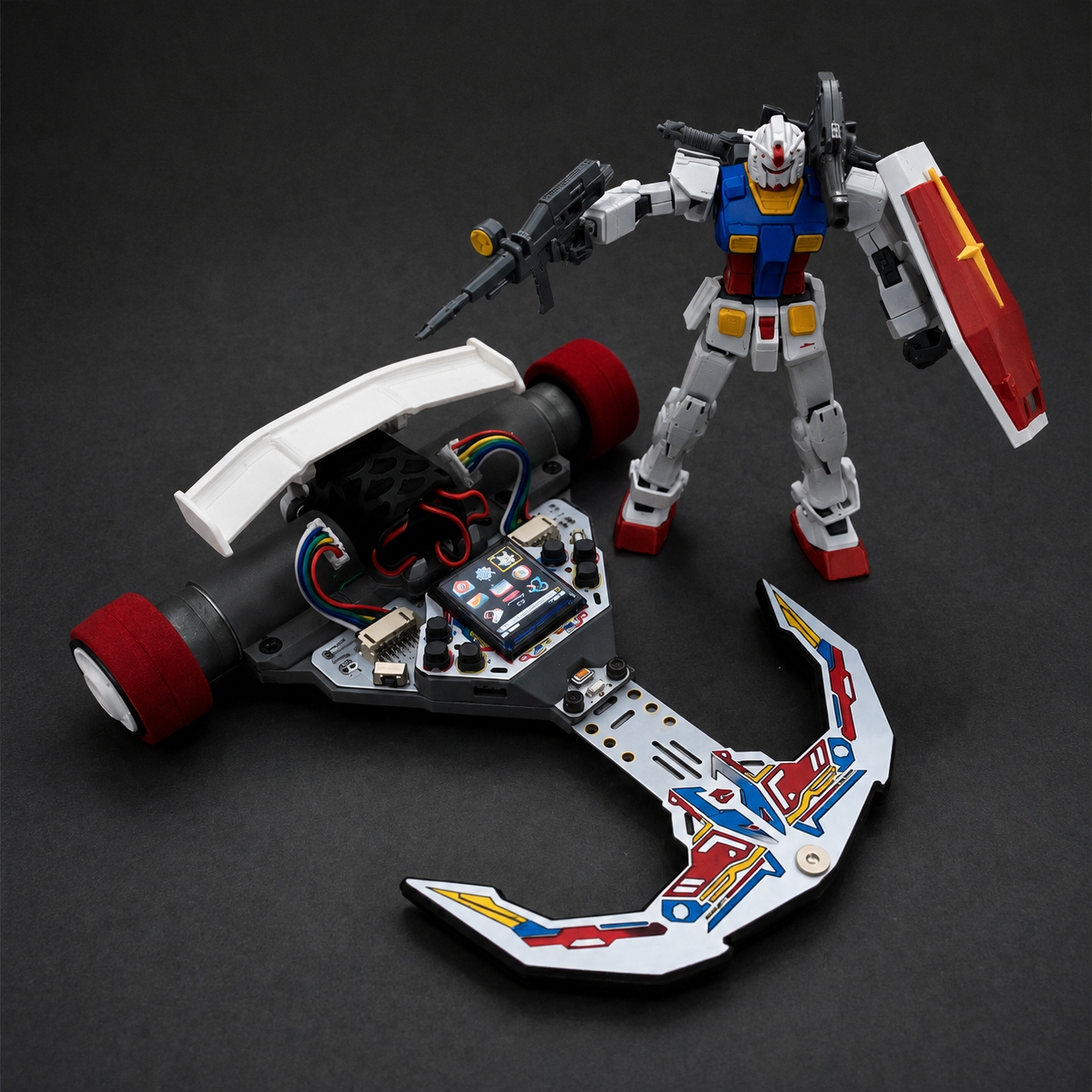
A sensor-based robot platform for learning navigation, motor control, calibration, and autonomous line tracking.
Open Product →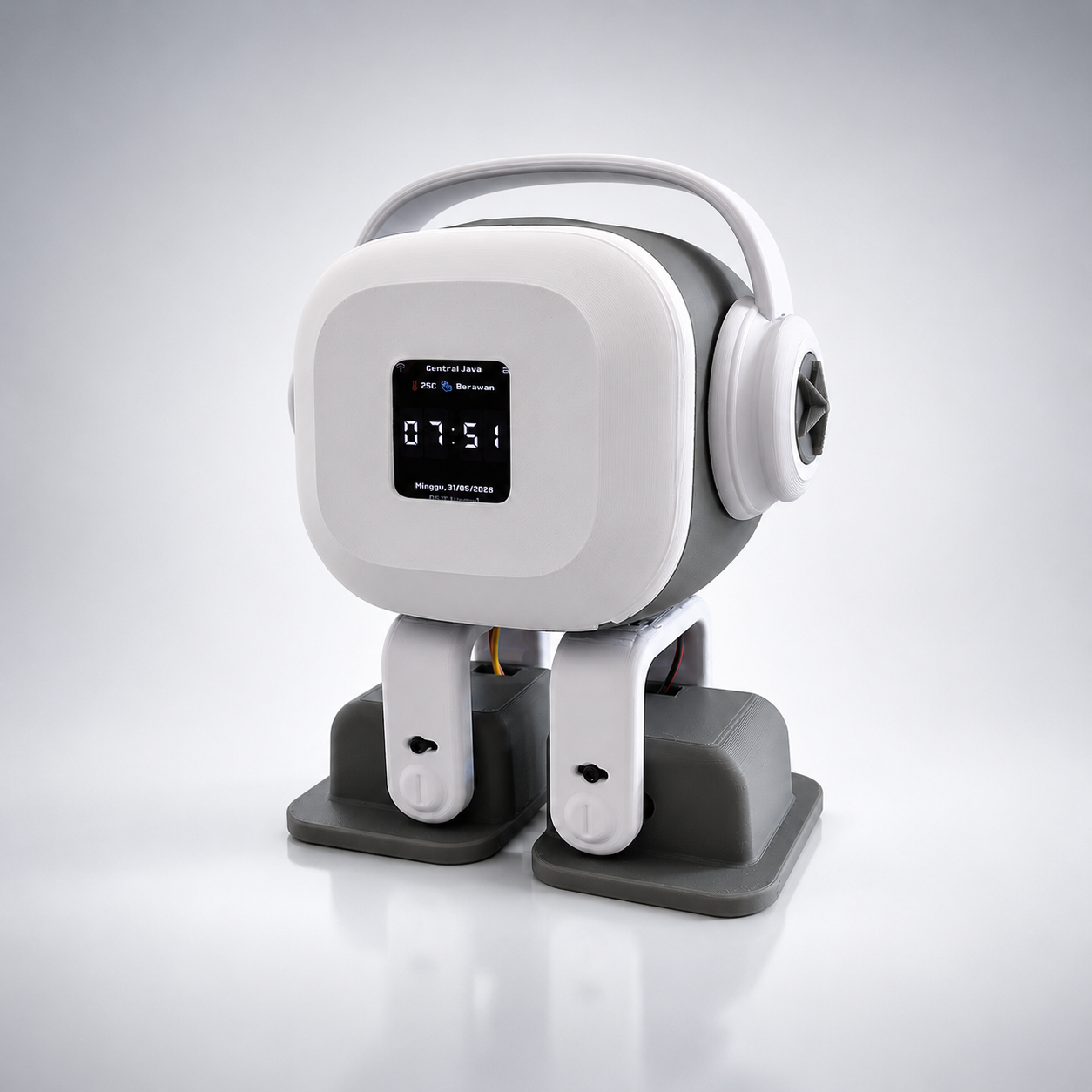
An interactive smart robot for AI conversation, learning, music, information, display features, and robotic movement.
Open Product →WHY RUBELL
Clear interfaces help users install firmware and operate devices with fewer technical barriers.
Hardware, firmware, documentation, support, and product-specific activation are connected in one ecosystem.
Products are suitable for experimenting with electronics, embedded programming, robotics, and AI.
Visit the About page to access Rubell Automation's official contact and marketplace channels.
RUBELL AUTOMATION • PRODUCT
FLASH FIRMWARE
Connect ESP32 via USB and choose firmware. Supports
preset firmware or custom .bin upload.
CONTROL_PANEL
SERIAL_LOG
FIRMWARE LIBRARY
All official firmware versions for the Rubell device. Click "Flash Now" to go to the flash tool.
config.txt…Schematic Image
Select a device type below to open the schematic image.
Click one of the buttons above to view the schematic.
ACTIVATE PROGRAM
Connect ESP32 via USB, retrieve the device MAC address, enter your activation key, and unlock full firmware features.
LICENSE_ACTIVATION
HOW TO USE
Simple steps to flash firmware to your ESP32 device directly through the browser.
Prepare the Device
Connect the ESP32-S3 board to your PC via USB-C cable. Make sure the cable supports data transfer (not just charging).
Install Driver (if needed)
If the device is not recognized, install
CH340 or CP210x driver. After installing, try again. Windows 10+ usually
auto-detects.
Open Flash Tool
Scroll up to the FLASH section. Select
Preset FW for default firmware or Upload .bin for a custom file.
Connect & Flash
Click the CONNECT button. The browser will
show a COM port dialog — select your ESP32 device. Flashing starts automatically.
Monitor Progress
The Serial Log panel on the right shows real-time logs. When done, the device restarts automatically with the new firmware.
Troubleshooting
If you get Failed to connect, hold the
BOOT button on the board while connecting. Release it after connection succeeds.
Important Note: This tool only works on Chrome and
Edge (v89+) on desktop/laptop. Mobile browsers are not supported. Ensure you are using
HTTPS or localhost. If you encounter issues, contact us via the About page.
ABOUT
Rubell Automation mengembangkan perangkat robotika edukasi, sistem embedded berbasis ESP32, firmware, dan produk AI interaktif yang mudah digunakan.